Pencil Eraser Graphics for Crafts Sellers
First Impressions: Clean, Nostalgic, and Immediately Recognizable
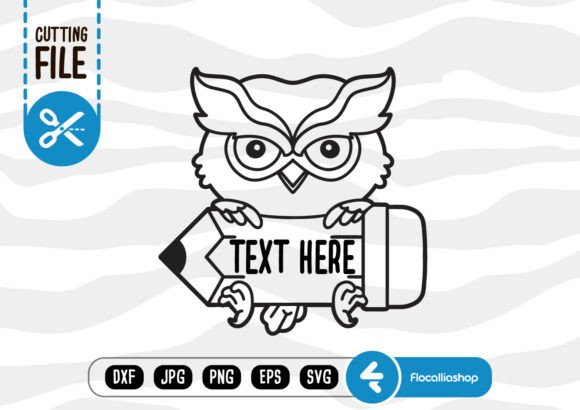
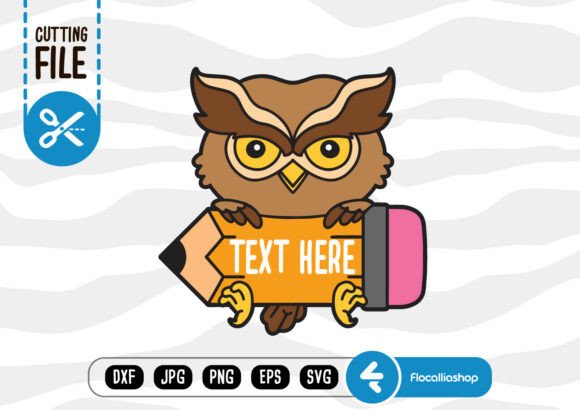
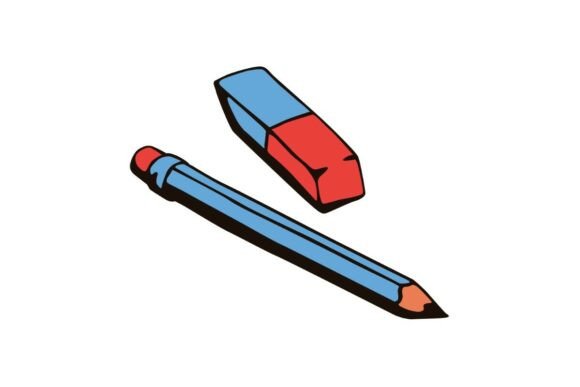
When I opened Pencil Eraser, my first thought was: “This is the kind of graphic that works *before* the buyer reads the title.” A blue lead pencil resting beside a red-and-blue rubber eraser—no frills, no gradients, no forced whimsy. It’s a practical illustration rooted in everyday learning: quiet focus, revision, correction, preparation. The mood is calm but purposeful—not overly cute or academic, not retro or hyper-modern. It leans gently toward timeless over trendy, which makes it unusually versatile across niches.
Who Buys This—and Why?
This asset speaks directly to buyers preparing for back-to-school season, exam prep bundles, study planners, or teacher appreciation collections. But its appeal extends further: small business owners building brand identities around growth and learning (coaches, course creators, tutoring services), Cricut users making classroom decor, Canva template sellers designing editable student planners, and print-on-demand shops launching minimalist stationery lines. It attracts customers who value clarity, function, and subtle emotional resonance—not flash, but familiarity.
Where Pencil Eraser Fits Naturally in Real Product Lines
- SVG & PNG products: Works cleanly as a standalone cut file for vinyl stickers, planner inserts, or iron-on transfers—especially when paired with clean sans-serif or handwritten fonts.
- Printable designs: Scales well for study checklists, test prep trackers, printable flashcards, and habit journals. Its balanced proportions hold up at both 4×6” and letter-size layouts.
- Sublimation & merchandise: Looks sharp on mugs, tote bags, and tumblers—particularly when used as a subtle corner accent or centered with minimal text like “Revise. Refine. Repeat.”
- Canva templates & digital downloads: Functions as a visual anchor in editable lesson plan templates, teacher resource kits, or student goal-setting worksheets.
- Craft bundles: Adds cohesion to clipart sets themed around education, productivity, or creative process—think “draft → edit → finalize” visual storytelling.
- Social media graphics: Stands out in Instagram carousels about study tips or Pinterest pins for academic organization—its contrast and simplicity boost thumbnail readability.
How It Strengthens Product Presentation
Used intentionally, Pencil Eraser elevates perceived value without increasing production time. In Etsy listings, it adds instant context to thumbnails—viewers immediately understand the product’s use case. On mockups, it grounds abstract concepts (like “digital study planner”) in tangible, relatable imagery. When bundled with related assets—rulers, notebooks, highlighters—it reinforces visual hierarchy and supports cohesive seasonal collections (e.g., “Back-to-School Essentials Bundle”). It also builds customer trust: its straightforward execution signals professionalism, not AI-generated filler.
Where It Performs Best
Pencil Eraser shines in large-format previews, themed digital download pages, printable wall art for home offices, and packaging design for handmade study kits. It holds attention in scroll-heavy environments—like Creative Fabrica category feeds or Shopify product grids—because it avoids visual noise while delivering clear meaning. For crafters using Cricut Design Space or Silhouette Studio, its clean edges and uncluttered silhouette make alignment and resizing predictable.
Where to Use It Carefully
Avoid cramming it into tiny sticker sheets where fine eraser details may blur. Don’t layer it over busy patterns or dark backgrounds without testing contrast—its blue and red tones can recede if not isolated properly. Skip using it as the sole focal point in text-heavy Canva templates; it supports messaging but doesn’t carry heavy copy. And if your Cricut project requires ultra-precise cut lines (e.g., intricate eraser texture), inspect the SVG paths first—some versions simplify detail for scalability, which is smart for most uses but may need adjustment for specialty cuts.
Practical Seller Notes Before Publishing
I tested Pencil Eraser across five real scenarios before listing it in my own shop:
- Previewed it as an Etsy thumbnail at 250px wide—still legible, no loss of recognition.
- Placed it on white and charcoal mockups—verified color fidelity and transparency in the PNG version.
- Ran a test print on matte cardstock and sublimation paper—confirmed no banding or color shift in the red/blue elements.
- Imported the SVG into Cricut Design Space—checked node count, path smoothness, and grouped layers for easy editing.
- Paired it with six font types (serif, sans serif, script, handwritten, display, monospace) in Canva—observed how each affected tone and balance.
I also confirmed the commercial license covers finished goods—critical for print-on-demand sellers—and organized files clearly: PencilEraser_SVG.zip, PencilEraser_PNG_300dpi.zip, and a LICENSE.txt file in the root folder. Clear naming prevents support requests and builds credibility.
Final Thought: A Quiet Asset With Strategic Weight
Pencil Eraser won’t go viral—but it will convert. It’s the kind of graphic design asset that quietly strengthens your catalog’s cohesion, supports seasonal launches, and earns repeat use across product types. For digital product creators building long-term shops—not just one-off listings—it’s less about “what this image says” and more about “what it lets your customers feel confident creating.” That’s the real value of a well-chosen, thoughtfully deployed illustration. Test it in your next bundle. See how it anchors your message. Then scale it—without second-guessing.